QuickBooks Bookkeeping for Amazon FBA & Shopify | Thelonex


Canadian GST/HST for Amazon Sellers: A Complete 2026 Guide
- Home
- Canadian GST/HST for Amazon Sellers: A Complete 2026 Guide
- April 20, 2026
- 5 min read
- No Comments

Canadian GST/HST for Amazon Sellers (2026 Guide)
Introduction
Selling on Amazon in Canada is a powerful opportunity. But taxes can quickly become confusing.
GST/HST is one of the most important parts of your compliance. If you ignore it, you risk penalties, audits, and lost profits.
This guide explains everything in simple terms. Whether you are a beginner or scaling your store, this will help you stay compliant and confident.
Who This Guide Is For
This guide is ideal if you are:
- A Canadian Amazon seller
- A non-resident selling into Canada
- Using Amazon FBA warehouses
- Crossing or nearing CAD $30,000 revenue
- Unsure about GST/HST rules
Table of Contents
- What is GST/HST
- Do you need to register
- How Amazon handles tax
- FBA tax implications
- Filing and reporting
- Common mistakes
- FAQs
What Is GST/HST?
GST (Goods and Services Tax) is a 5% federal tax.
HST (Harmonized Sales Tax) combines federal and provincial tax.
Provinces Using HST
- Ontario (13%)
- Nova Scotia (15%)
- New Brunswick (15%)
- Newfoundland and Labrador (15%)
- Prince Edward Island (15%)
Other Provinces
- Alberta → GST only (5%)
- British Columbia → GST + PST
- Quebec → GST + QST
Do Amazon Sellers Need to Register for GST/HST?
You must register if your revenue exceeds:
👉 CAD $30,000 in 12 months
This is called the small supplier threshold.
Should You Register Early?
Yes, because you can:
- Claim tax on expenses
- Look more professional
- Avoid future compliance issues
Need help registering? GST/HST Registration Services
GST/HST Registration Process
- Get a Business Number (BN)
- Register with CRA
- Activate GST/HST account
Non-Resident Sellers
You must register if:
- You store inventory in Canada (FBA)
- You sell to Canadian customers
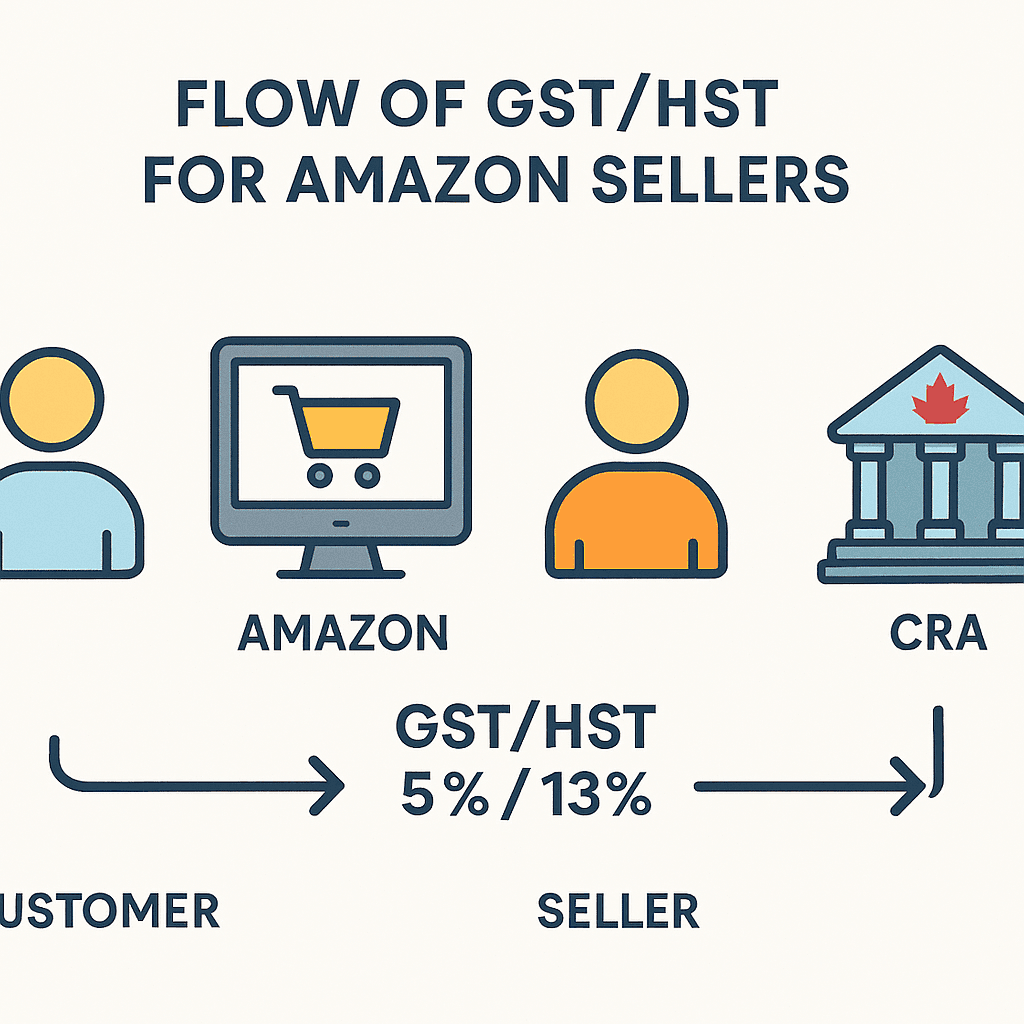
How GST/HST Works for Amazon Sellers in Canada
Amazon may collect tax for you under marketplace rules.
But you are still responsible for reporting.
Two Scenarios
1. Amazon Collects Tax
- Amazon charges customers
- Amazon remits tax
- You still report sales
2. You Collect Tax
- Applies to off-Amazon sales
- Or certain product categories
GST/HST: Amazon vs Shopify vs Website
| Platform | Who Collects Tax | Your Responsibility |
|---|---|---|
| Amazon | Often Amazon | Report sales |
| Shopify | You | Full compliance |
| Website | You | Full compliance |
👉 Important: Amazon does NOT remove your filing obligation.
GST/HST and Amazon FBA (Critical Section)
When you use FBA, Amazon stores your inventory in Canada.
This creates a tax presence (nexus).
What This Means
- You likely must register
- You must file returns
- You must track inventory location
FBA taxes can get complex. Amazon Seller Tax Services
Input Tax Credits (How You Save Money)
Input Tax Credits (ITCs) allow you to recover GST/HST paid on expenses.
You Can Claim:
- Amazon fees
- Shipping costs
- Ads spend
- Software tools
- Inventory
Example
- Collected GST: $500
- Paid GST on expenses: $200
- You pay CRA: $300
GST/HST for Digital Products
If you sell:
- Ebooks
- Courses
- Software
Then GST rules may still apply.
Non-resident sellers may need simplified registration.
Step-by-Step GST/HST Setup for Amazon Sellers
Follow this simple workflow:
- Register for GST/HST
- Enable Amazon tax settings
- Track all sales
- Track all expenses
- Apply correct tax rates
- File returns on time
- Claim ITCs
Filing GST/HST Returns
Once registered, you must file returns regularly.
Filing Frequency
Depends on your revenue:
- Annual: Small businesses
- Quarterly: Medium businesses
- Monthly: Large businesses
What You Report
- Total sales
- GST/HST collected
- ITCs claimed
- Net tax owed
Example Calculation
Let’s simplify.
- Sales: $10,000
- GST collected: $500
- Expenses GST: $200
Net tax owed = $500 – $200 = $300
Common Mistakes to Avoid
1. Not Registering on Time
Leads to penalties and back taxes
2. Ignoring ITCs
You lose money
3. Wrong Tax Rates
Creates compliance risk
4. Not Filing Returns
Even zero returns must be filed
Record-Keeping Requirements
Keep records for at least 6 years:
- Sales invoices
- Expense receipts
- Import records
- Amazon reports
Best Tools for GST/HST Management
Use tools like:
- QuickBooks Online
- Xero
- Amazon reports
Automation reduces errors.
Common Mistakes to Avoid
Many sellers make the same errors.
1. Not Registering on Time
This can trigger penalties and back taxes.
2. Ignoring ITCs
You lose money by not claiming expenses.
3. Wrong Tax Rates
Charging incorrect rates leads to compliance issues.
4. Not Filing Returns
Even if you owe nothing, filing is required.
Best Tools for GST/HST Management
Manual tracking is risky.
Recommended Tools
- Accounting software (QuickBooks, Xero)
- Amazon tax reports
- Professional accountants
Automation reduces errors and saves time.
Record-Keeping Requirements
The CRA requires proper records.
Keep These for at Least 6 Years
- Sales invoices
- Expense receipts
- Import documents
- Amazon reports
Digital records are acceptable.
GST/HST vs Income Tax
These are not the same.
Key Difference
- GST/HST = Sales tax
- Income tax = Profit tax
You must handle both separately.
When Should You Hire an Accountant?
You should consider professional help if:
- You sell internationally
- You use FBA
- Your revenue is growing fast
An accountant helps avoid costly mistakes.
Final Checklist for Amazon Sellers
Before you scale your business, confirm:
- You are registered for GST/HST (if required)
- You understand tax rates by province
- You track all expenses
- You file returns on time
- You use proper tools or professional help
Conclusion: Stay Compliant and Grow Confidently
GST/HST may seem complex at first. But once you understand the basics, it becomes manageable.
For Amazon sellers in Canada, tax compliance is not optional. It is a core part of your business.
Start by registering if needed. Track your numbers carefully. Use tools to automate the process. And when in doubt, consult a professional.
Action Step:
Review your current Amazon setup today. Check if you are GST/HST compliant. Fix gaps now before they become costly problems.
Your future growth depends on getting this right.
Not sure if you’re fully compliant?
👉 Book a consultation today and get a complete GST/HST audit for your Amazon business.

Ashfaq helps e-commerce business owners turn messy numbers into clear, reliable financials. With over 15 years of experience, he specializes in bookkeeping for Amazon and Shopify sellers, ensuring accuracy, clarity, and confident decision-making.
Frequently Asked Questions
Got questions? We’ve got answers.
1. Do I need GST/HST if Amazon collects tax?
Yes. You still need to report your sales.
2. Can I claim GST without registering?
No. You must be registered.
3. Do I charge tax on exports?
Most exports are zero-rated.
4. What happens if I don’t register?
You may face penalties and back taxes.
Explore common queries about working with Exrox. Still unsure?
Contact us
— we’re happy to help.
Categories
Latest Posts
- August 2, 2026
Amazon Seller Connector by QuickBooks: Complete Guide
- July 21, 2026
How COGS Accounting Works for Canadian FBA Sellers
Tags
A2X
Accounting Method
Amazon FBA
Amazon Marketplace Connector
Amazon Seller Central
Amazon Seller Connector
Bookkeeping Tips
Canada Tax Registration
Canadian Bookkeeping
Canadian Sales Tax
Chart of Accounts
COGS
E-Commerce
E-Commerce Bookkeeping
Finance
Financial Statements
GST/HST
Inventory
Payout Reconciliation
Profit and Loss
QuickBooks Online
Sales Tax
Sales Tax Compliance
Shopify
TaxCloud