QuickBooks Bookkeeping for Amazon FBA & Shopify | Thelonex


Canadian GST/HST Guide for Amazon FBA & Shopify Sellers
- Home
- Canadian GST/HST Guide for Amazon FBA & Shopify Sellers
- July 19, 2026
- 7 min read
- No Comments

Canadian GST/HST Guide for Amazon FBA & Shopify Sellers
Selling into Canada means dealing with GST/HST, whether you like it or not. Many US sellers ignore it until they get a compliance letter from the Canada Revenue Agency. By then, back taxes and penalties are already stacking up.
This guide explains what GST/HST is, who must register, and how to stay compliant without hiring a full-time tax team. You will learn the registration threshold, the provincial rate differences, and how tools like QuickBooks Online, A2X, and TaxCloud fit into the process.
By the end, you will know exactly what to do next, whether you are a Shopify store shipping across provinces or an Amazon FBA seller with inventory sitting in a Canadian warehouse
What Is GST/HST?
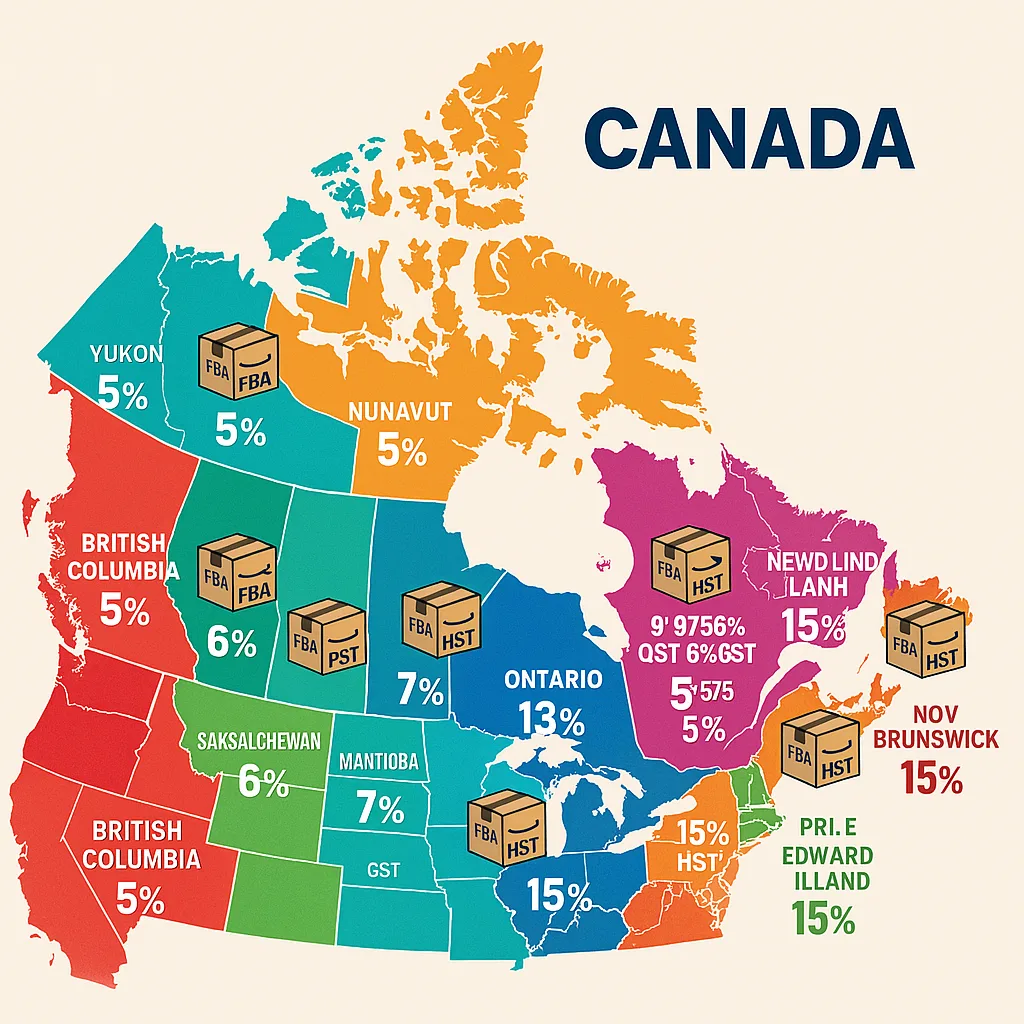
GST stands for Goods and Services Tax. It is a federal tax of 5% applied to most goods and services sold in Canada. HST stands for Harmonized Sales Tax. It combines the federal GST with a provincial sales tax into one single rate.
Five provinces use HST: Ontario, Nova Scotia, New Brunswick, Newfoundland and Labrador, and Prince Edward Island. The rest use GST plus a separate provincial sales tax, or GST alone. Rates differ by province, so check our GST/HST rates by province guide before you set up tax collection on any sales channel.
This system applies to anyone selling taxable goods or services to Canadian customers, including businesses based outside Canada. If you sell physical products through Amazon FBA or Shopify to Canadian buyers, GST/HST rules apply to you, and US-based sellers specifically should read our guide on whether US sellers owe GST/HST shipping to Canada.
Who is this for?
This guide is written for:
- US-based Shopify and Amazon sellers shipping into Canada
- Canadian e-commerce sellers unsure about registration or rates
- Sellers using QuickBooks Online, A2X, or TaxCloud who want their tax setup to match CRA rules
Why Canadian GST/HST Matters
Ignoring GST/HST does not make it disappear. It creates three real risks: back taxes, penalties, and blocked input tax credits.
Compliance protects your margins. Once you cross the $30,000 CAD small supplier threshold, registration becomes mandatory. Miss it, and the CRA can assess tax on past sales you never collected, money that comes straight out of your pocket.
Correct setup unlocks refunds. Registered businesses can claim input tax credits on GST/HST paid for business expenses. Shipping, FBA fees, software subscriptions, all of it can offset what you owe.
Clean books make audits painless. When your QuickBooks Online file matches your GST/HST filings line for line, an audit becomes a formality instead of a crisis.
It affects your expansion plans. Marketplaces and payment processors increasingly check tax registration status. A missing GST/HST number can delay onboarding or trigger holds on payouts.
Step-by-Step Guide to Canadian GST/HST Compliance
Step 1: Check If You Must Register
You must register for GST/HST once your worldwide taxable revenue, not just Canadian sales, passes $30,000 CAD in a single calendar quarter or over four consecutive quarters. This is the small supplier threshold. Below it, registration is optional, but voluntary registration lets you claim input tax credits early. US-based sellers should read our dedicated breakdown on GST/HST obligations for US sellers, since the threshold applies to worldwide revenue, not just Canadian sales.
Step 2: Get a Business Number and GST/HST Account
Register through the CRA’s Business Registration Online portal. You will receive a Business Number with a GST/HST program account extension. US sellers with no Canadian entity can still register as a non-resident business. Our full walkthrough on how to register for GST/HST as an e-commerce seller covers every field on the application.
Step 3: Confirm the Right Rate for Each Province
Rates are not uniform. Ontario charges 13% HST. Alberta charges 5% GST only. Quebec charges 5% GST plus 9.975% QST, filed separately through Revenu Québec rather than the CRA, so read our Quebec QST guide if you sell there. Get this wrong and you either overcharge customers or underpay the CRA. Check our GST/HST rates by province guide before your first sale.
Step 4: Set Up Tax Collection in Your Sales Channel
In Shopify, enable Canadian tax collection under your tax settings and assign your GST/HST number, covered step by step in our Shopify GST/HST guide. In Amazon Seller Central, configure your Product Tax Codes and confirm which provinces Amazon collects on your behalf under marketplace facilitator rules, this changes what you are responsible for reporting. Our Amazon FBA Canada tax guide and our Amazon seller GST/HST guide both walk through the exact Seller Central settings.
Step 5: Sync Transactions Into QuickBooks Online
Use A2X to pull settlement data from Amazon or Shopify into QuickBooks Online, broken out by tax collected per province. This keeps your GST/HST liability account accurate without manual entry, and it is the same setup our team configures for clients during onboarding. Our guide on how to file a GST/HST return in QuickBooks Online shows exactly how this data flows into your filing.
Step 6: File and Remit on Schedule
Filing frequency depends on revenue: annual, quarterly, or monthly. File through CRA’s My Business Account or NETFILE. Tools like TaxCloud can automate rate calculation and filing reminders so deadlines do not slip. Before you file, decide whether the standard method or the GST/HST Quick Method saves you more, since the two calculate net tax differently.
Step 7: Claim Your Input Tax Credits
Before remitting, subtract GST/HST you paid on eligible business expenses. This reduces your net payment and is one of the most commonly missed steps by sellers filing on their own. See our full guide to GST/HST input tax credits for exactly what qualifies.
Practical Tips for Better Results
Separate GST/HST from your revenue in QuickBooks. Tax collected is not income. Keep it in a liability account, not your sales account, or your P&L will overstate revenue.
Do not assume FBA inventory location does not matter. Storing inventory in a Canadian fulfillment center can affect your tax obligations even before you hit the small supplier threshold, as explained in our Amazon FBA Canada tax guide.
Reconcile A2X postings monthly. A mismatched tax mapping in A2X is the most common cause of GST/HST discrepancies we see in client files, and it is covered in detail in our guide on filing GST/HST in QuickBooks Online.
Choose the right filing method early. The Quick Method can simplify remittance for smaller sellers, but it is not always the cheaper option. Compare both before committing for the year.
Common mistake: waiting until year-end to register. Retroactive registration means back-calculating tax you should have collected months earlier. Register as soon as you are near the threshold, not after you cross it.
Efficiency tip: automate what you can. TaxCloud handles rate lookups and filing schedules; A2X handles the accounting sync. Manual spreadsheets are where most errors start.
Conclusion
Canadian GST/HST is not optional once you cross the small supplier threshold, and getting it wrong costs more than getting it right. Registration, correct provincial rates, clean QuickBooks syncing, and timely filing are the four pillars of staying compliant.
This is not a one-time task. Rules shift, provinces adjust rates, and your sales footprint changes as you grow. Sellers who build this into their monthly bookkeeping routine avoid the scramble that comes with CRA notices.
If you would rather hand this off, Thelonex manages GST/HST registration, filing, and QuickBooks reconciliation for Amazon and Shopify sellers across the US and Canada. Book a free consultation and we will review your current setup at no cost.
By:

Ashfaq helps e-commerce business owners turn messy numbers into clear, reliable financials. With over 15 years of experience, he specializes in bookkeeping for Amazon and Shopify sellers, ensuring accuracy, clarity, and confident decision-making.
Tags:
Categories
Latest Posts
- August 2, 2026
Amazon Seller Connector by QuickBooks: Complete Guide
- July 21, 2026
How COGS Accounting Works for Canadian FBA Sellers
Tags
A2X
Accounting Method
Amazon FBA
Amazon Marketplace Connector
Amazon Seller Central
Amazon Seller Connector
Bookkeeping Tips
Canada Tax Registration
Canadian Bookkeeping
Canadian Sales Tax
Chart of Accounts
COGS
E-Commerce
E-Commerce Bookkeeping
Finance
Financial Statements
GST/HST
Inventory
Payout Reconciliation
Profit and Loss
QuickBooks Online
Sales Tax
Sales Tax Compliance
Shopify
TaxCloud